Articles ·
How to stop accidental calls on an older parent's phone
A brush of the thumb on the wrong contact, a phone pressed in a pocket, a favorite tapped by mistake: accidental calls are common with older parents, and they cause worry on both ends. Here's how to cut them down.
Stop pocket dials
- Lock the screen quickly: set Auto-Lock (iPhone, Settings → Display & Brightness) or Screen timeout (Android, Settings → Display) to 30 seconds or 1 minute.
- Raise to wake and tap to wake can light the screen in a bag. If that's happening, turn them off in the same settings.
- Emergency SOS calls after pressing buttons several times or holding them. Check how it's set on their phone (Settings → Emergency SOS on iPhone; Settings → Safety and emergency on many Android phones) so it fits how they hold the phone, but leave it on.
Fewer wrong contacts
- Trim Favorites to the few people they really call, with clear names: "Anna (daughter)" rather than "A".
- Add a photo to each favorite so they're easy to tell apart.
- Remove old numbers and duplicates.
Ask "Call Anna?" before every call
The surest fix is a check before the call goes through. Phones don't have this for favorites, but Penzap does, free:
- On their phone, open penzap.com (or the Penzap app) and make a free account.
- Make a big button for each person they call: Label "Anna", When tapped → Call a number.
- Open Easy to see and hear → Ask before it acts → Calls and texts.
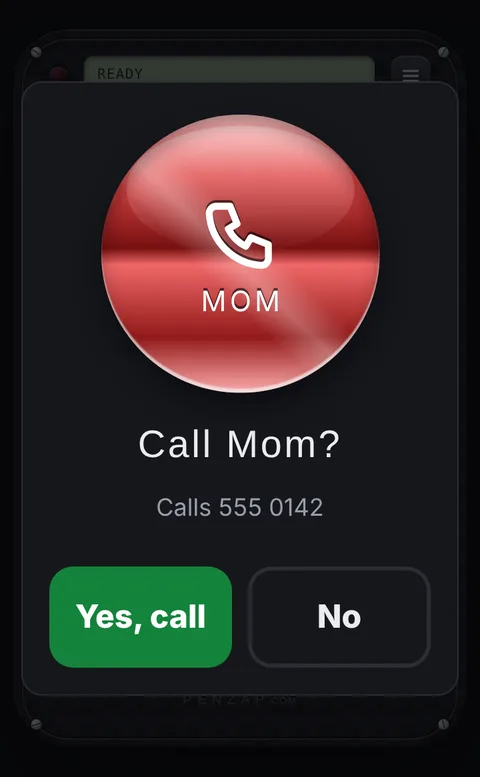
- Now a tap shows "Call Anna?" with a big green Yes, call and a big No. A quick double tap can't press Yes by accident.
- Optional: turn on Talking buttons so they hear the name too, and Big buttons or High contrast so the buttons are easy to see.
Make it the screen they use
Put Penzap on the home screen dock, and move the Phone app's favorites out of the way. If they live far away, sign in to their Penzap account on your own phone: changes you make appear on theirs.