Penzap · One-tap shortcuts
One-tap shortcuts for the things you use every day
Penzap is a shortcut app that looks like a real remote. Each button opens an app, a website, a phone call, a text, an email, a map or a song, so the things you reach for most are always one tap away.
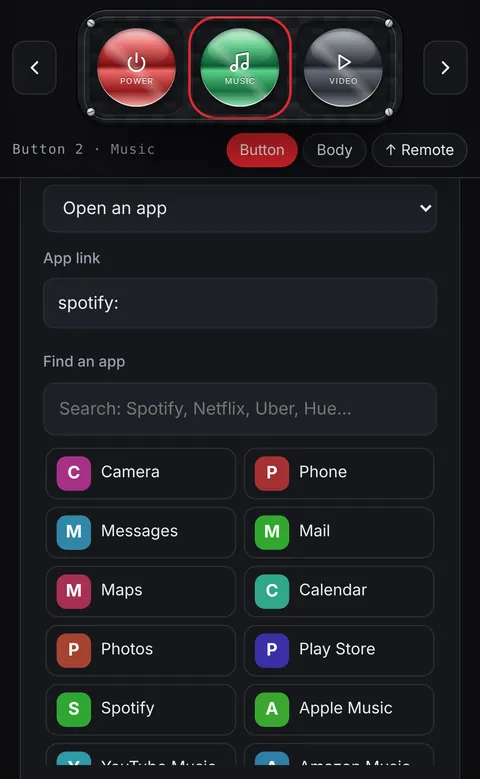
What a button can do
- Open an app: search a directory of popular apps or, in the Android app, pick from the apps on your phone. Your phone's own Camera, Messages, Mail and Maps are at the top.
- Open a website: your bank, a recipe site, the school portal, anything with a link.
- Call or text someone with one tap, or start an email to them.
- Play music or a video: a playlist, a podcast or a show.
- Run a flow: several steps from one button. See one-tap flows.
Why a remote instead of icons
- Big buttons are easier to hit than tiny icons, especially while walking or driving (parked).
- Labels, colors and shapes make each button easy to spot: a red Power button, a gold Maps button, a green Call button.
- One remote can mix apps, contacts and websites, which a home screen can't do on its own.
Set it up in a minute
- Create a free account at penzap.com and you get a sample remote to start from.
- Tap a button in Edit mode, choose When tapped, and pick the app, link or contact.
- Tap Use. Add Penzap to your home screen so it opens like an app.