Penzap · One-tap flows
Flows: several steps from one button
A flow is a Penzap button that runs a short routine, like "Drive home": text "On my way", wait a moment, then open your playlist. Build it step by step, or describe it and let the AI assistant write the steps.
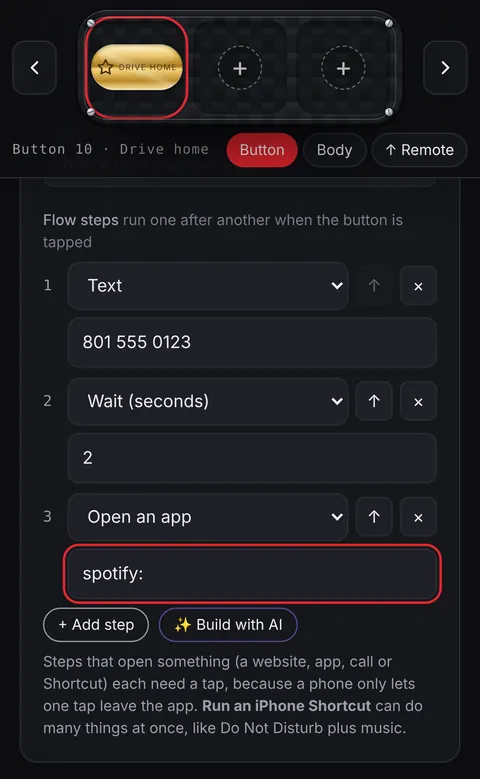
What a step can do
- Open a website or an app, call, text or email someone.
- Send a Roku remote command, in the Penzap app on the same Wi-Fi.
- Run an iPhone Shortcut, copy text, show a note, or wait a few seconds.
- Up to 8 steps per button, in any order.
How a flow runs
- Tap the button and a window lists the steps.
- Steps that stay in Penzap, like notes, copying, waiting and Roku commands, run on their own.
- Phones only let one tap leave an app, so a step that opens another app or a call shows a button to tap, then you come back for the next one.
- On iPhone, one Run an iPhone Shortcut step can do many things at once.
Ideas
- Morning: weather, news, then your playlist.
- Drive home: text family, then open Maps.
- Movie night: turn on the Roku, open your streaming channel, show the snack list.