Penzap · Car shortcuts
Car shortcuts, set up before you drive
Make a remote for the car: directions home, your driving playlist, and a text that says you're on your way, each on a big button you can find without hunting through apps. Set it up before you leave, and use it while parked or hand it to a passenger.
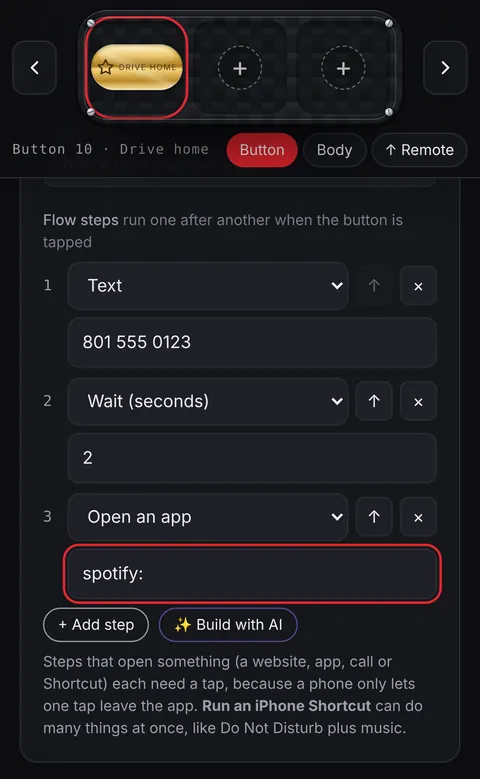
Buttons that work well in the car
- Directions home: a Maps link with your home address.
- Drive music: opens your music app or a playlist.
- On my way: texts a family member.
- Drive home flow: the text, then Maps, then music, from one button.
Make it easy to see
- Use Big buttons (2×) and bright finishes.
- Keep a separate remote just for the car: Menu → My designs → My remotes → + New remote.
- On Android, the Penzap app can float a mini remote over Maps.
Safety first
- Set everything up before you drive. Follow local laws: most places don't allow handling a phone while driving.
Step-by-step guides
Flows comes with Penzap Pro. See Free vs Pro